smarter.sgStart a conversation
Home Assistant expertise

A professionally installed Home Assistant system, designed around your home.

We design, install and document Home Assistant systems that are reliable, easy to use and ready for someone else to maintain in future.

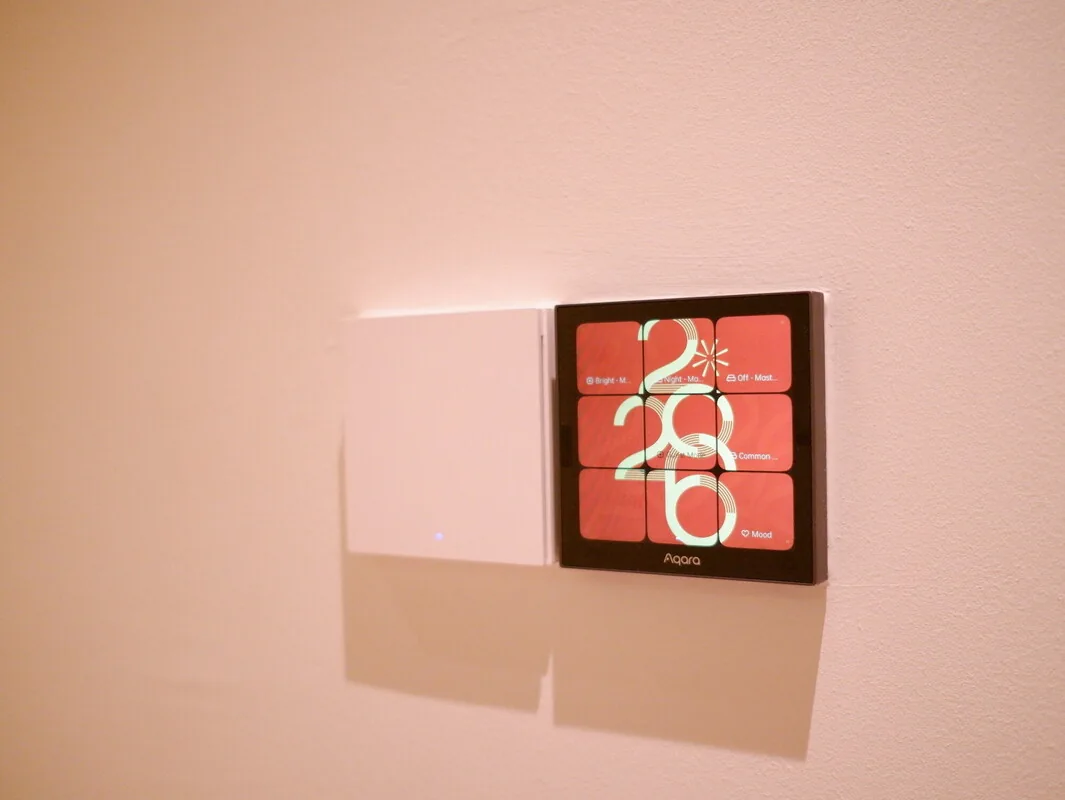
Presence sensor installed discreetly in a Singapore smart homeSingapore · Project photography
What you can expect

Your everyday controls stay simple, your accounts stay in your hands and the system is properly documented at handover.

How it worksA clear route from first review to handover
01
How you liveStart with rooms, routines and people
02
What it runs onA reliable network, radios and devices
03
What joins it upHome Assistant, with a clear job to do
04
What you receiveAccounts, backups and a proper handover
What’s included

Know what is included before the work begins.

Every home is different, but you should always know what we are taking care of and what you will receive.

01

Floor-plan and requirements review

02

Advice on platforms, hubs and compatible devices

03

Home Assistant host, network and backup plan

04

Zigbee, Matter, Thread and cloud connections where needed

05

Room dashboards and practical automations

06

A final device list, backup details and recovery notes

07

Household handover and aftercare options

A good fit

This service may be right for you if…

01

When Home Assistant is the right choice

Home Assistant is a strong choice when you want several brands to work together, prefer more local control or need automations that go beyond a single manufacturer's app. If a small Apple Home, Google Home or Aqara setup already does everything you need, keeping it simple may be the better answer.

We recommend Home Assistant when its extra flexibility will make a real difference to the home—not simply because it can connect more products.

02

The basics still work when something goes offline

The home should remain usable if the internet is down, a hub restarts or a sensor battery dies. Important lights and switches keep familiar physical controls, and a failed automation should never leave the household stuck.

  • Local control for important daily functions where practical
  • Named backups and a tested restore procedure
  • No important automations hidden inside an installer's personal account
  • A device register with model, room, protocol and replacement notes
Where you can start

You can start with Home Assistant at any stage.

We can plan it during renovation, add it to a home you already live in or take over a DIY setup that has become difficult to maintain.

01

New home or renovation

We plan the wiring, network, devices and controls while there is still time to make good choices without redoing finished work.

Start with consultation
02

Existing devices, brought together

We check what you already own, how it connects and what depends on the cloud, then add Home Assistant without wiping a working home and starting again.

Plan a migration
03

A DIY system that has become fragile

We keep the useful work, create a reliable backup and organise the system so that it can be understood and supported properly.

Discuss a takeover
How the system is put together

Home Assistant works best when the foundations are right.

The server is only one part of the job. We also plan the radios, device connections, everyday controls and backups as one complete system.

What makes the system reliableHome Assistant brings the home together, but it does not have to run everything.
01
InterfacesDashboards, wall controls and voice
02
Home AssistantBrings products and automations together
03
ProtocolsZigbee, Matter, Thread and Bluetooth
04
InfrastructureNetwork, power and placement
05
RecoveryBackups, notes and clear responsibility
Part of the systemWhat we decideWhat you receive
01 · Host

Choose Home Assistant Green, a supported appliance, a virtual machine or another platform that someone can maintain

You receive the installation, storage, power, network and recovery details

02 · Radios

Add only the Zigbee, Thread, Z-Wave or Bluetooth equipment the home actually needs

You receive the coordinator, channel and placement details, including how the mesh was planned

03 · Devices

Choose direct local control, a manufacturer bridge, Matter or a cloud connection for each model

The device list records each model, room, firmware, connection method, available controls and what still works if it goes offline

04 · Interfaces

Give each person the right mix of dashboards, Apple Home, Google Home, wall controls and remotes

Everyone can use the everyday controls without needing to understand how the system is administered

05 · Recovery

Set up automatic backups, keep a copy elsewhere and test how the system is restored

You receive the backup location, emergency key and clear responsibility for future checks

How we keep it reliable

Flexible where it helps, dependable where it matters.

Community integrations can be valuable. We use them selectively, keep track of what has been installed and make sure there is a safe way to update or remove them later.

01

Start with supported integrations

We prefer Home Assistant’s supported integrations and certified products when they do the job. We add community software only when there is a clear benefit.

02

Use HACS with care

Every HACS component has its own maintainer and release cycle. We list the community components we install, explain why they are there and include them in future update checks.

03

Update carefully

We read the release notes, check for breaking changes and make a fresh backup before applying important updates.

04

Keep access in your hands

You receive the administrator account, backups and recovery information. Any access retained by Smarter for support is agreed with you and can be removed.

05

Keep the basics working

Important lighting, access and air-conditioning keep sensible wall, remote or manufacturer controls wherever the hardware allows it.

06

Be honest about compromises

If a device needs the cloud, uses an unsupported integration or comes with a known limitation, we tell you and include it in the handover notes.

Official references

Read the Home Assistant guidance we use.

How we work

From the first conversation to a finished, working system.

01

Understand the home

We start with your rooms, routines, wiring and network.

02

Plan the system

We choose the platforms, hubs and devices that suit the job.

03

Install and test

We set up each room and check what happens when a device or service goes offline.

04

Hand it over

You receive your accounts, backups, device list and clear instructions.

How we quote it · Quoted for your home

After a first conversation, we quote for your home, the devices you already own and the level of installation and support you want.

How Smarter pricing works
Good to know

Questions homeowners often ask.

01Do you install Home Assistant in Singapore?

Yes. We design, install and document Home Assistant systems for Singapore homes, including new renovations, retrofits and takeovers of existing systems.

02Will my home stop working if Home Assistant is offline?

It should not. Important lights, switches and other essentials keep sensible physical or manufacturer controls wherever the hardware allows it. We explain the exact behaviour before installation.

03Can you use the Aqara devices I already own?

Often, yes. Many Aqara Zigbee devices work well in open-platform builds through Zigbee2MQTT or ZHA, while others are better kept on an Aqara hub. We assess each device instead of forcing one rule across the home.

04Can Apple Home or Google Home still be the family interface?

Yes. Home Assistant can bring the products and automations together while your family continues to use Apple Home or Google Home every day.

05Do you support systems after installation?

Yes. Every project includes a proper handover, and you can add ongoing remote or on-site support through a Smarter care plan.

Home Assistant

Tell us what you want to improve. We’ll help you find the right next step.

Bring a floor plan, an existing setup or simply the problem. We’ll help you find a practical next step.

Start on WhatsApp